COMBO pricing is essential for billiard businesses. However, many venues don't know how to set it up, or older versions of BIDA OXU didn't support it fully. From version 7.0.3.4, BIDA OXU includes a very simple COMBO pricing feature in just 6 steps. Update your software to the latest version to use it.
How to set up COMBO playing-time prices for billiards
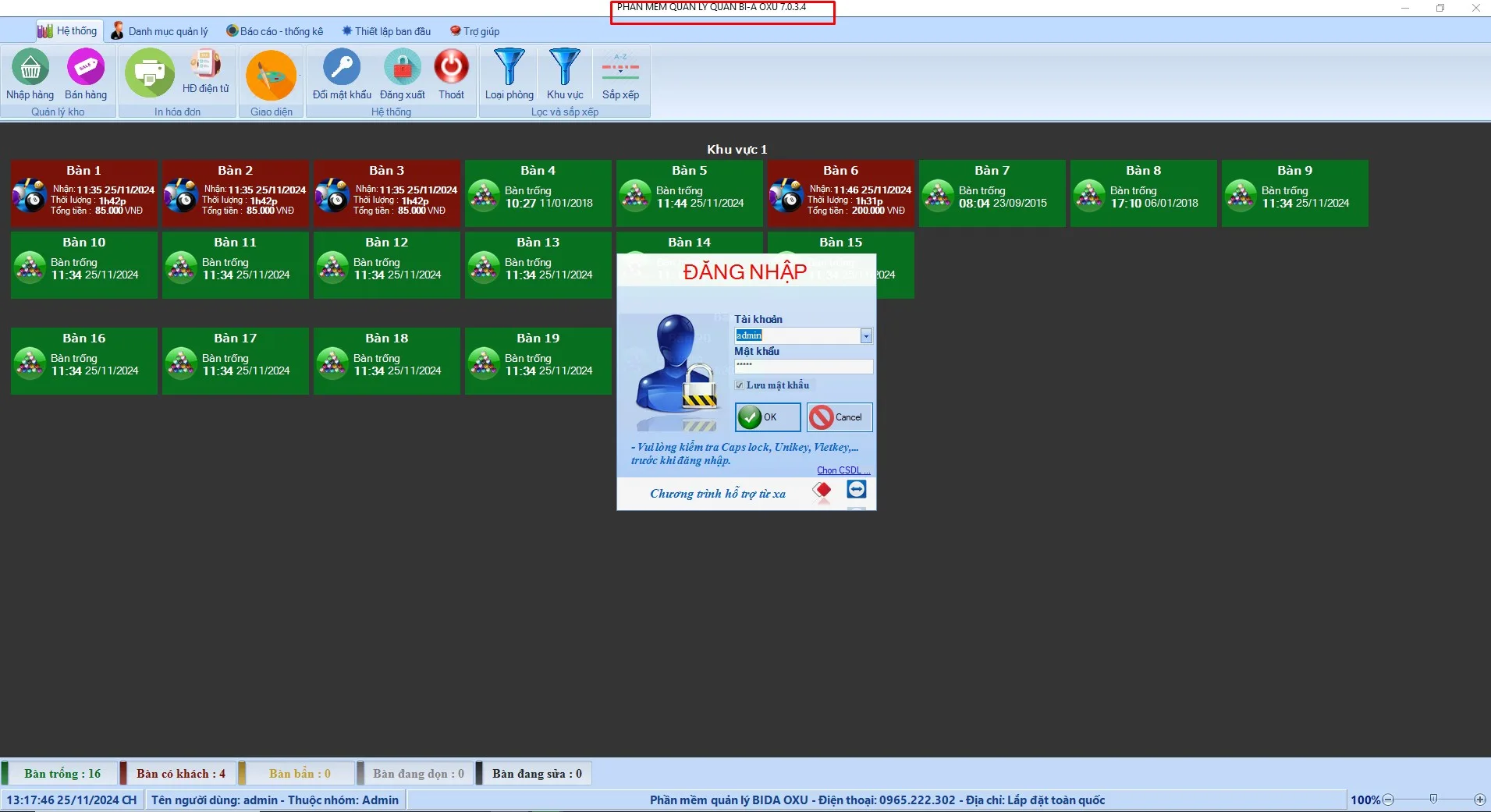
Step 1: Log in to the system
Use an account with permission to add and edit services in inventory.
Step 2: Open product management
Select Reports → Inventory management.
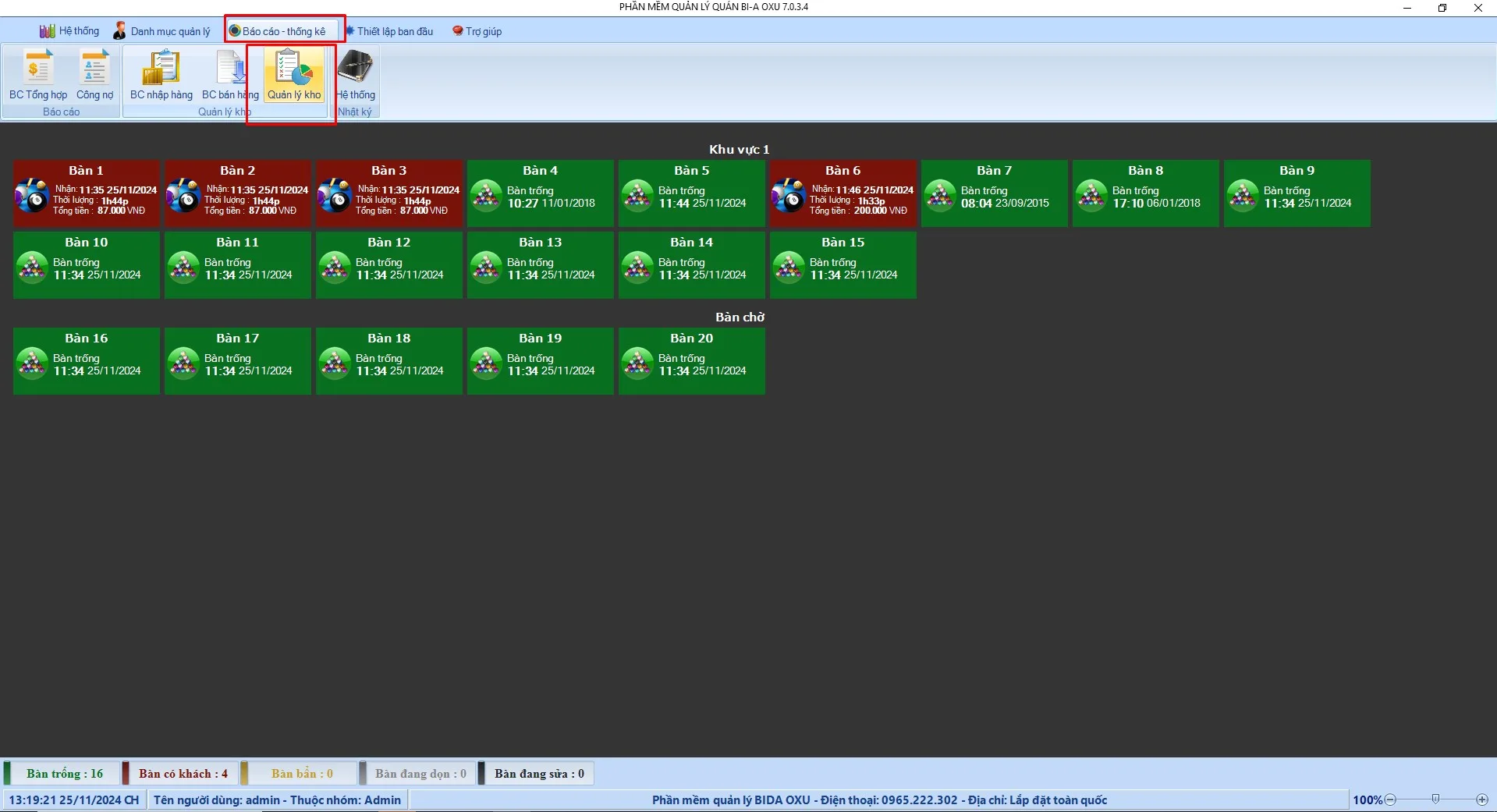
Step 3: Create the combo in product management
Example: setting up "COMBO 5H"
- Product name: Combo 5h
- Price: 200,000
- Unit: Combo
- Category: Combo
- Type: Service
- Product attributes: "Allow sale", "Prepared product", "Is a product combo"
- Click Add
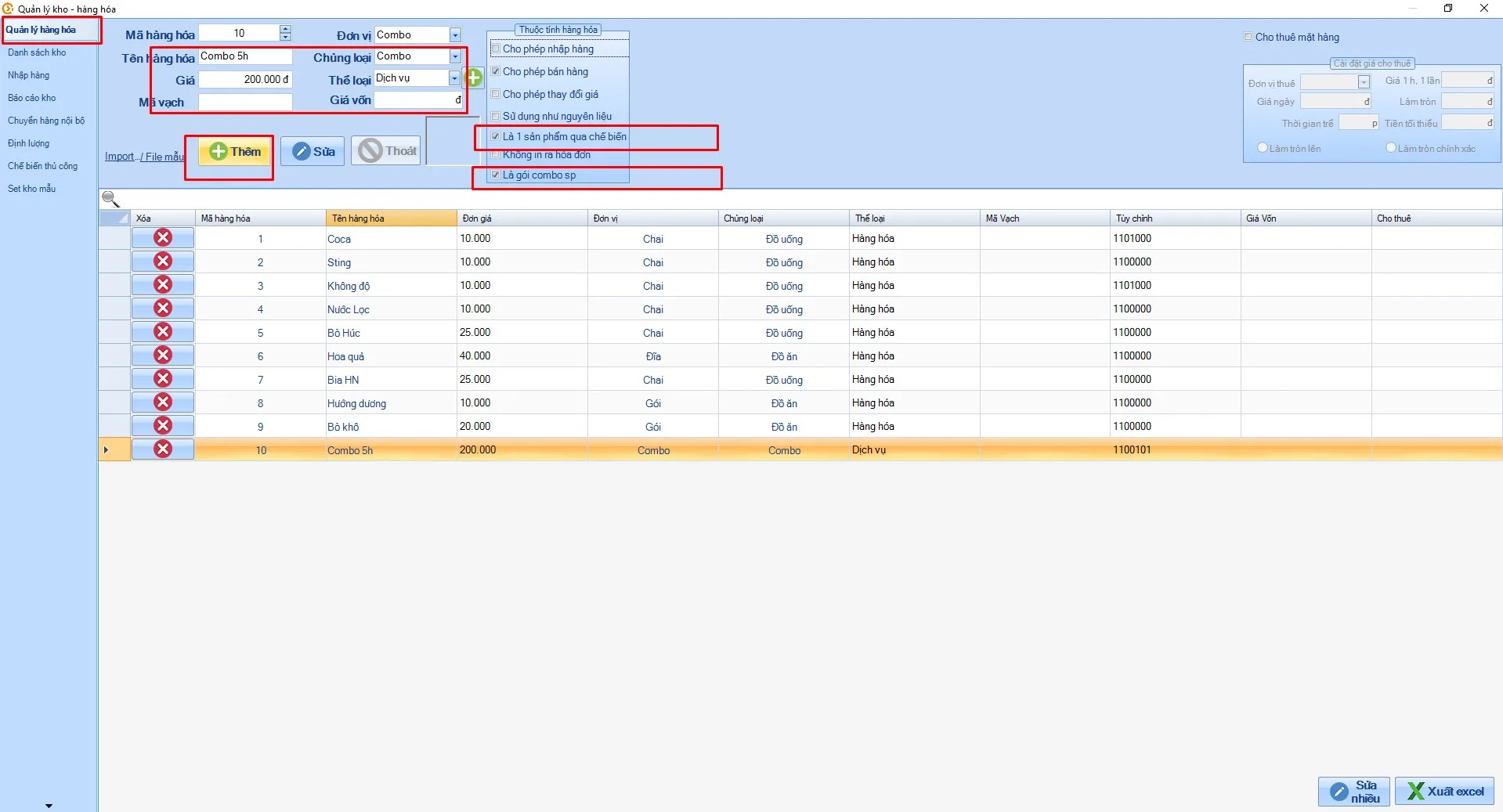
Step 4: Adjust attributes for free drinks included in the combo
Example: "COMBO 5H" includes one free bottle of "Không độ" (a soft drink).
- Click the existing "Không độ" service
- Add the attribute "Use as ingredient"
- Click Edit
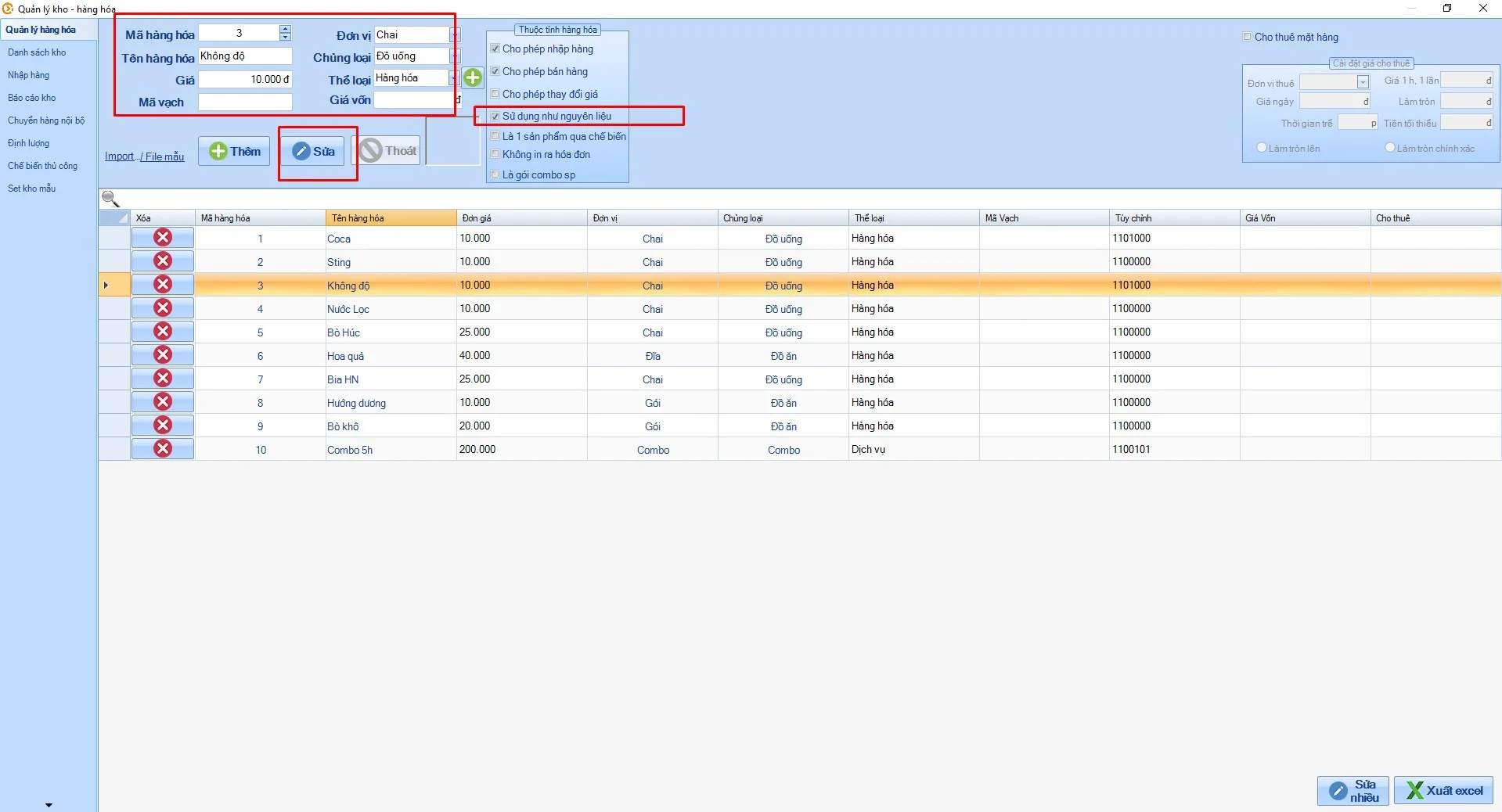
Step 5: Set the combo quantities
- Go to Quantities
- Select the combo name: "Combo 5h"
- Since "Combo 5h" includes one free drink, set its quantity to 1 and leave other services at 0
- Playing hours: 5
- Click Save
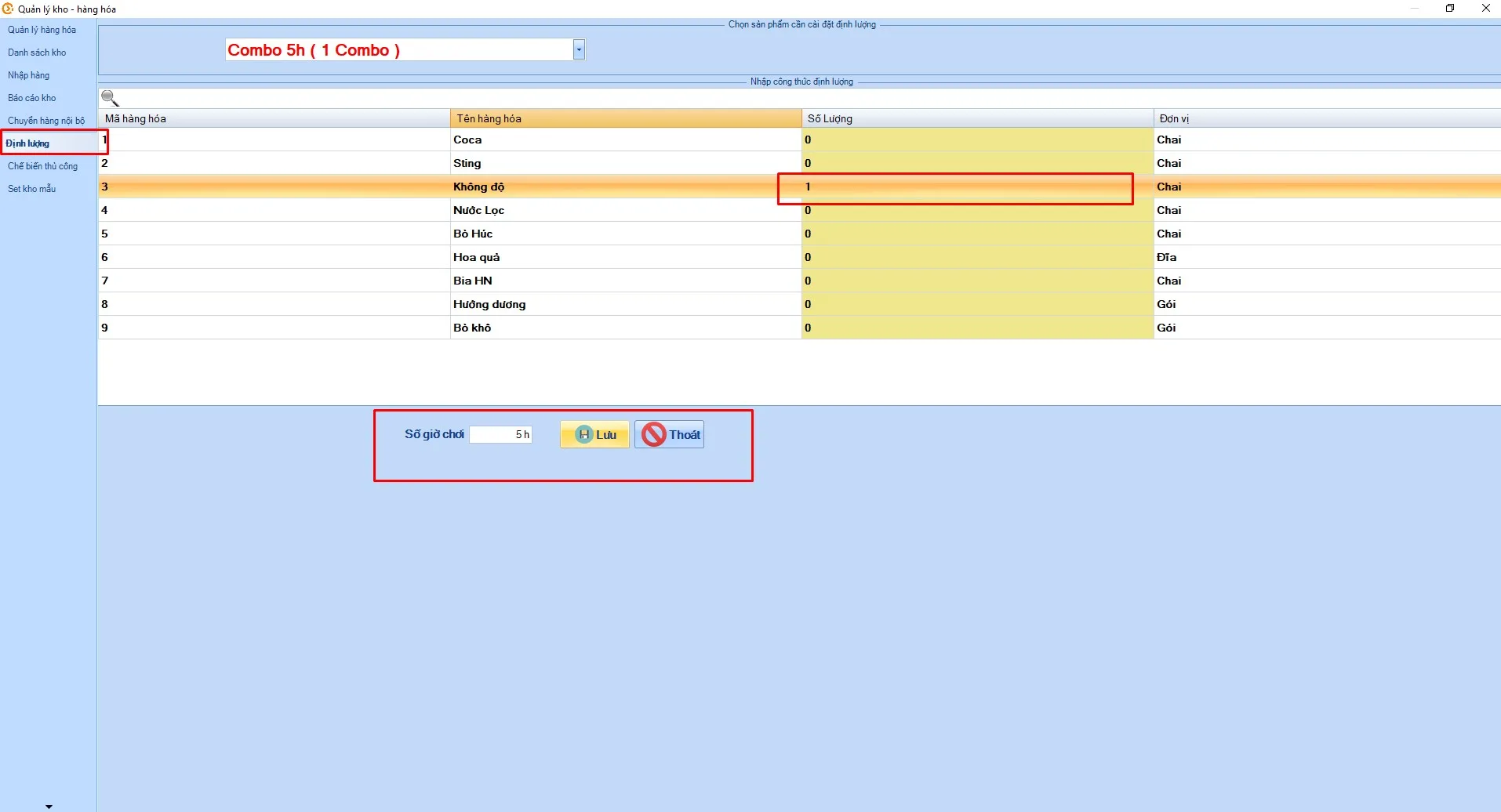
Step 6: Done
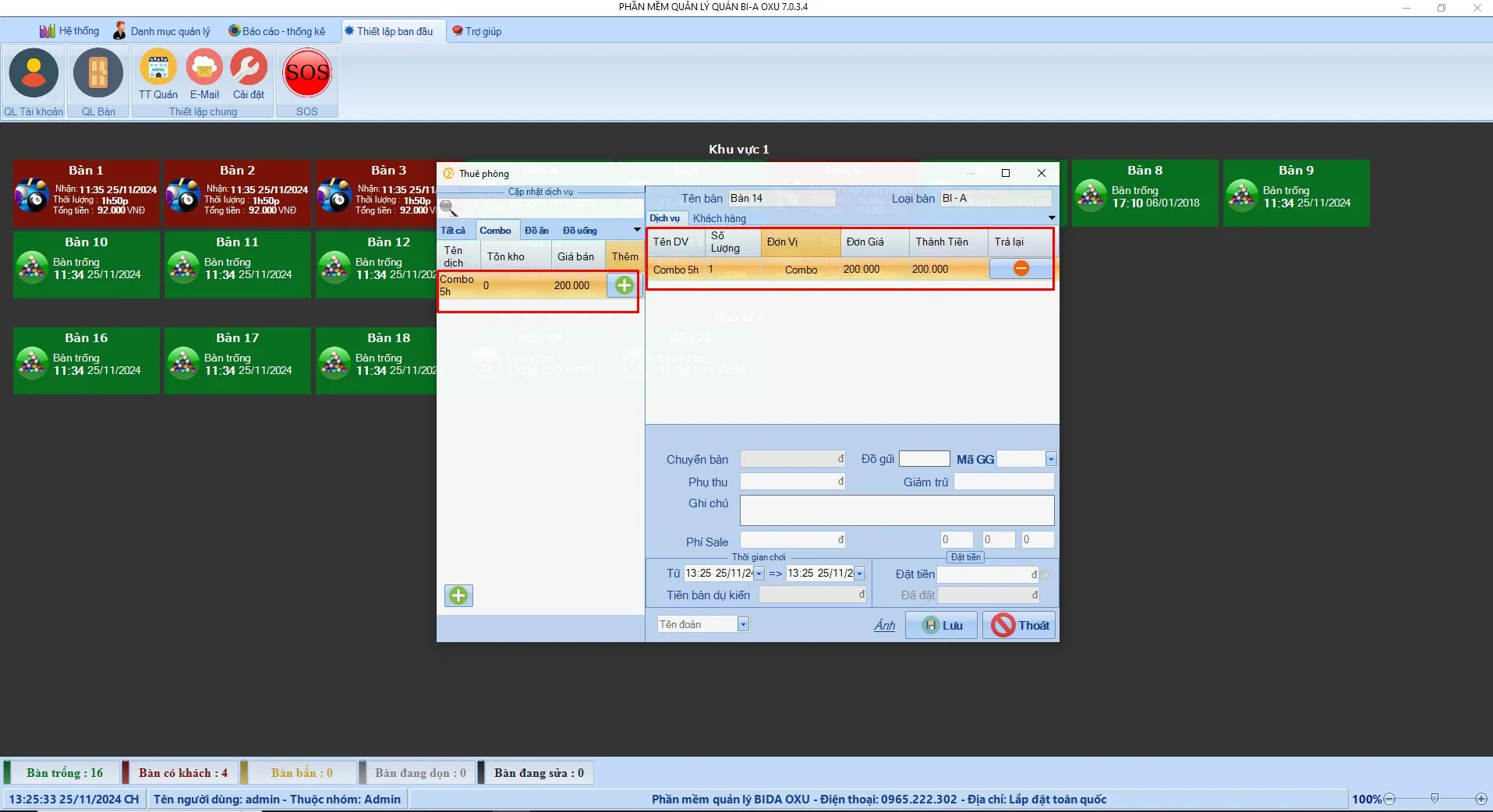
When a customer plays "Combo 5h", simply add the combo you created. Drink stock is reduced automatically according to the quantities set in step 5. Once the combo time is used up, billing switches back to the default hourly rate. With just a few simple steps, you can set up billiard combo prices yourself.
Video guide: setting up COMBO playing-time prices
If you still have questions about setting up billiard combo prices, contact us – we're always ready to help. Learn more about BIDA OXU.
OXU Vietnam Co., Ltd.
- Head office: Yen Phong New Urban Area, Yen Phong, Bac Ninh
- Hanoi branch: 6th floor, 29 Le Dai Hanh, Hai Ba Trung, Hanoi
- Ho Chi Minh City branch: 1C Lot 5, Ba Diem Residential Area, Hoc Mon, HCMC
- Hotline: 0965.222.302
- Email: Contact@oxu.vn