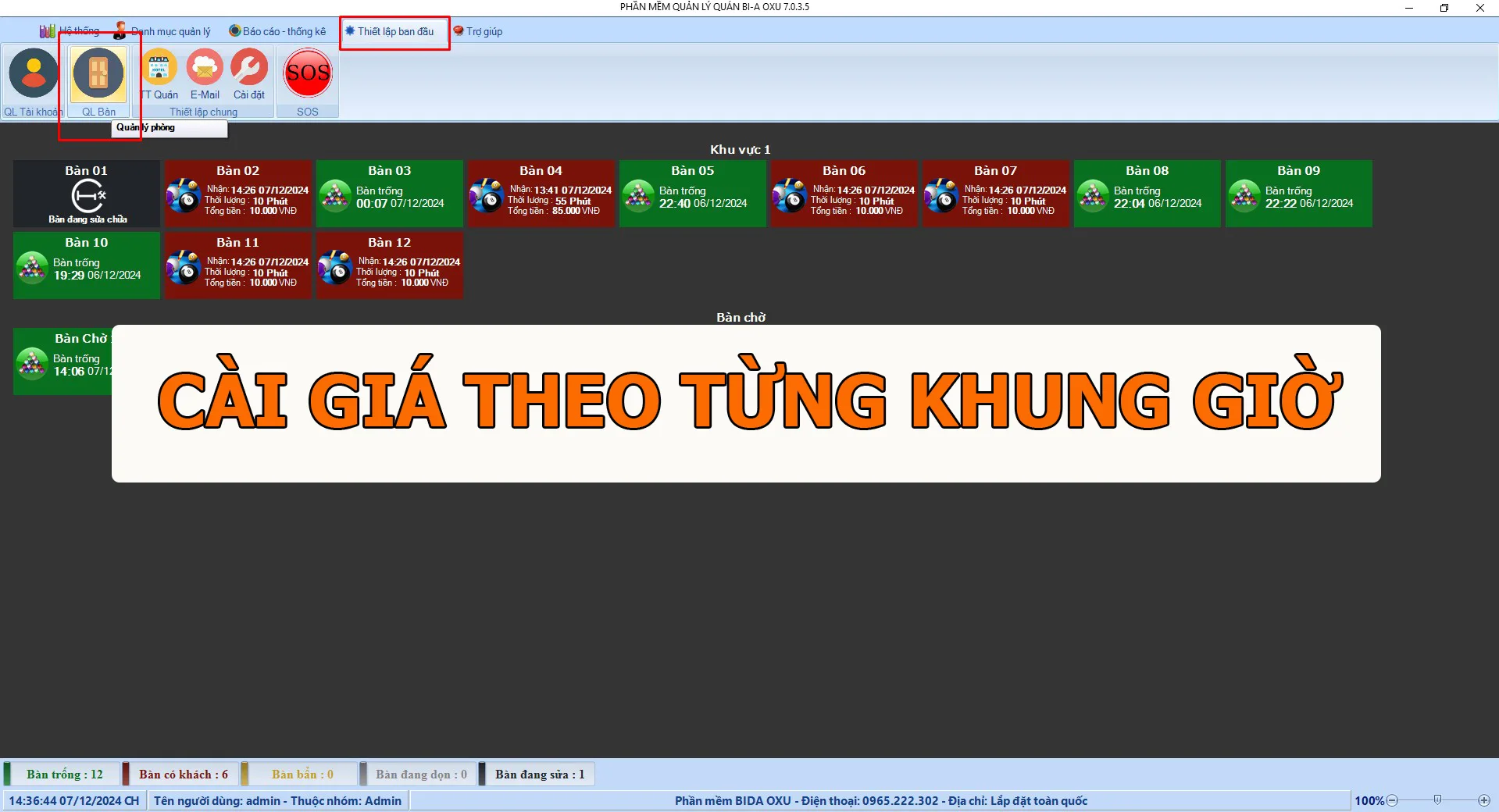
Time-of-day pricing is important for every billiard business. Flexible prices attract players: lower rates at quiet times draw more customers, while peak hours can be priced higher. In this guide, OXU shows how to set prices by time slot. As an example, we set three time slots for standard billiard tables:
- 7:00–11:00: VND 50,000/hour
- 11:00–19:00: VND 60,000/hour
- 19:00–7:00: VND 65,000/hour
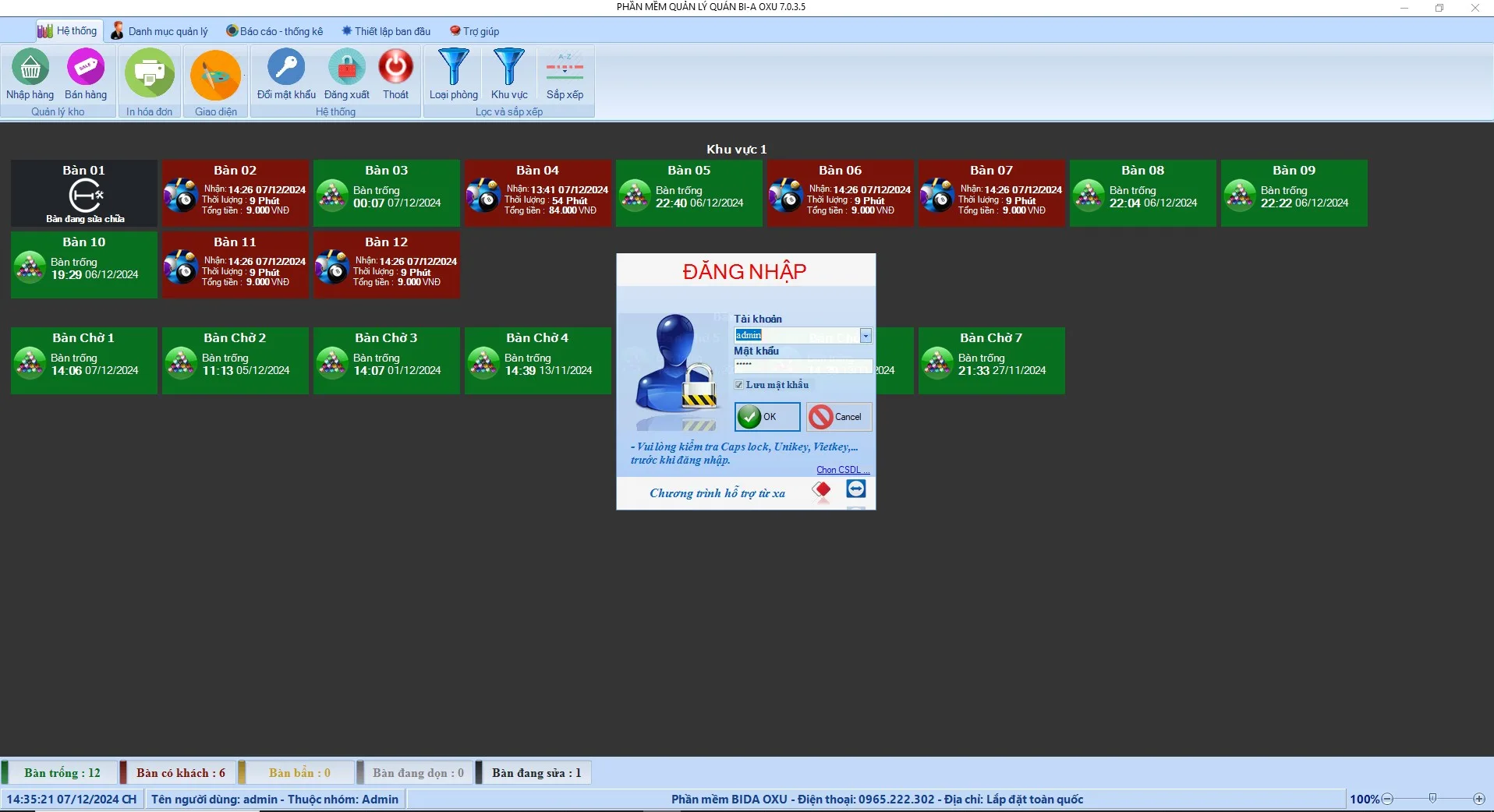
1. Log in to the system
First, log in with an account that has permission to change settings.
2. Open settings
Go to the price settings: select Initial setup → Table management.
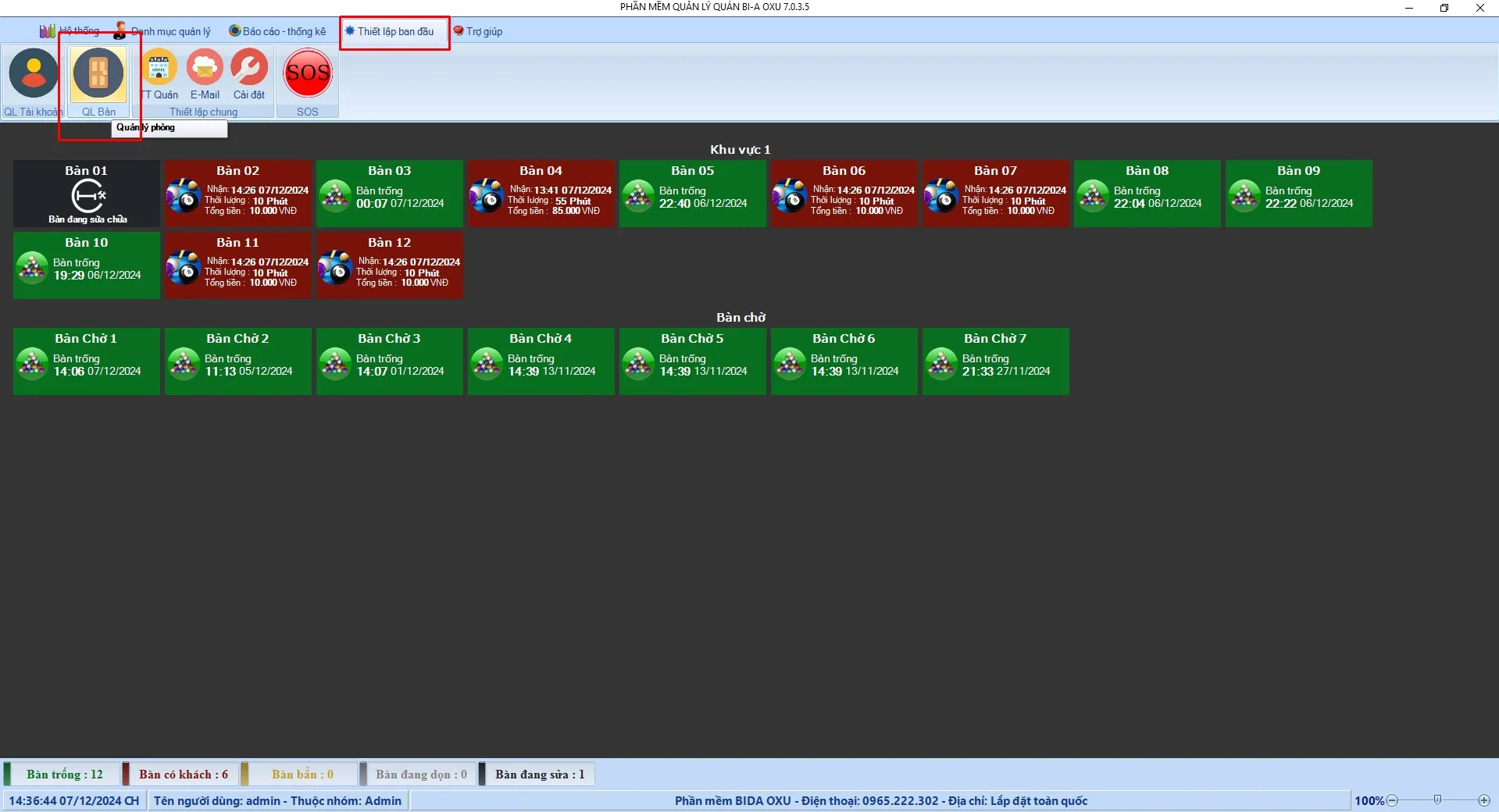
3. Create table types for each time slot
In table management, create additional table types for each time slot. Note that the type codes MUST NOT BE DUPLICATED. For example, create slots for 7:00–11:00, 11:00–19:00 and 19:00–7:00 the next morning.
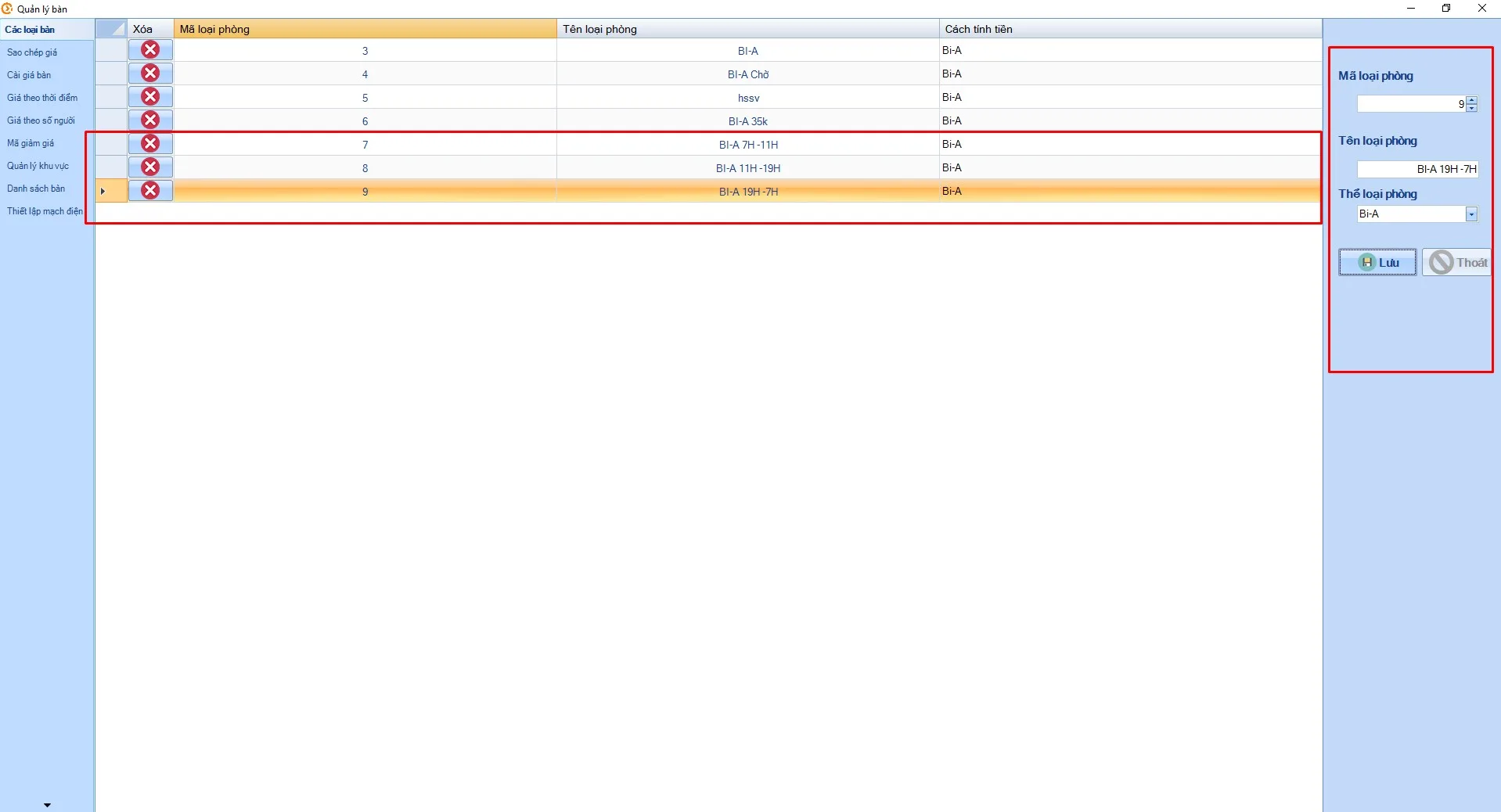
4. Set the price for each time slot
- Open Table prices
- Select the table type for the relevant time slot (the three slots above will each have their own price)
- Enter the table price and click Save
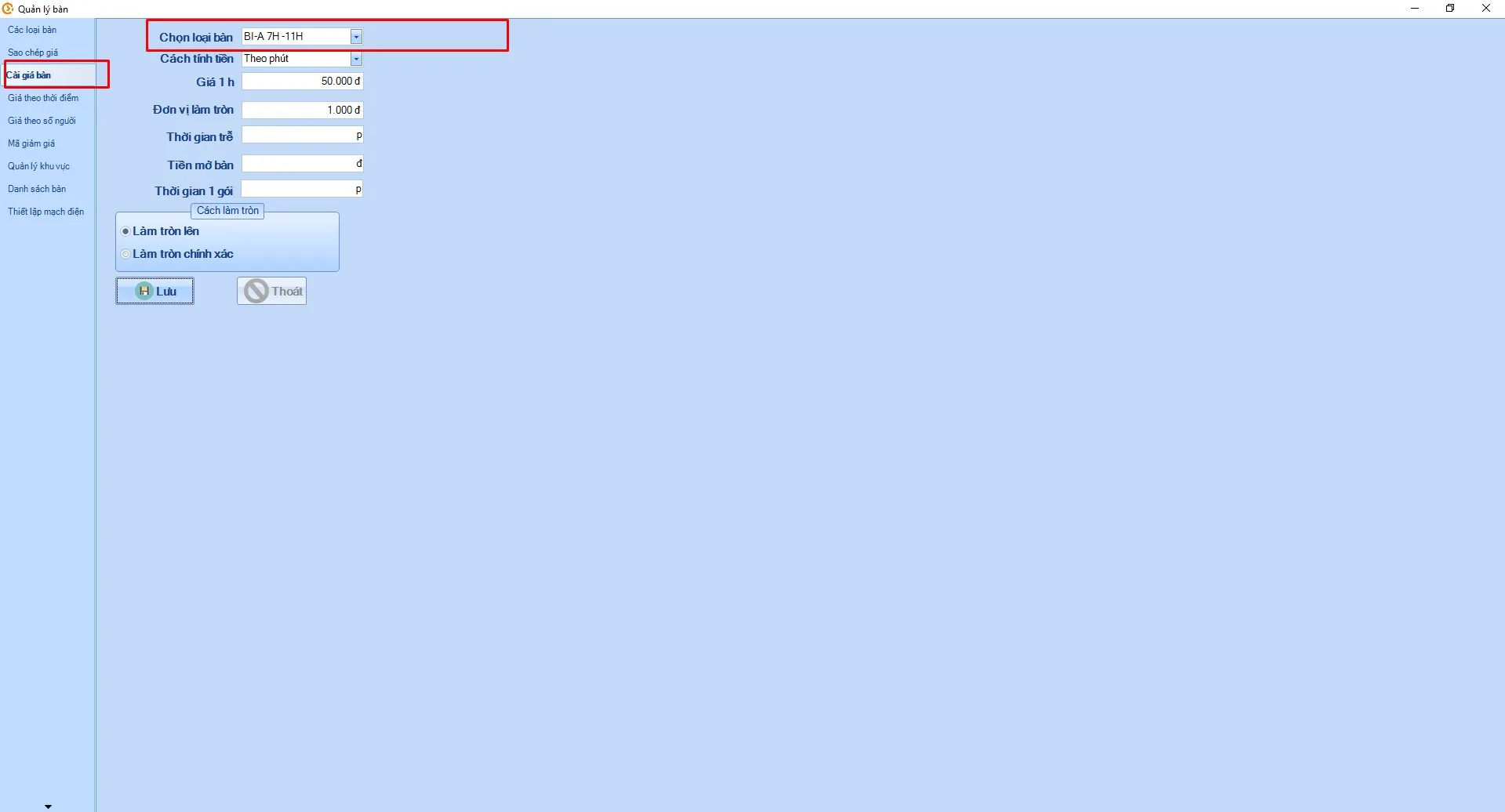
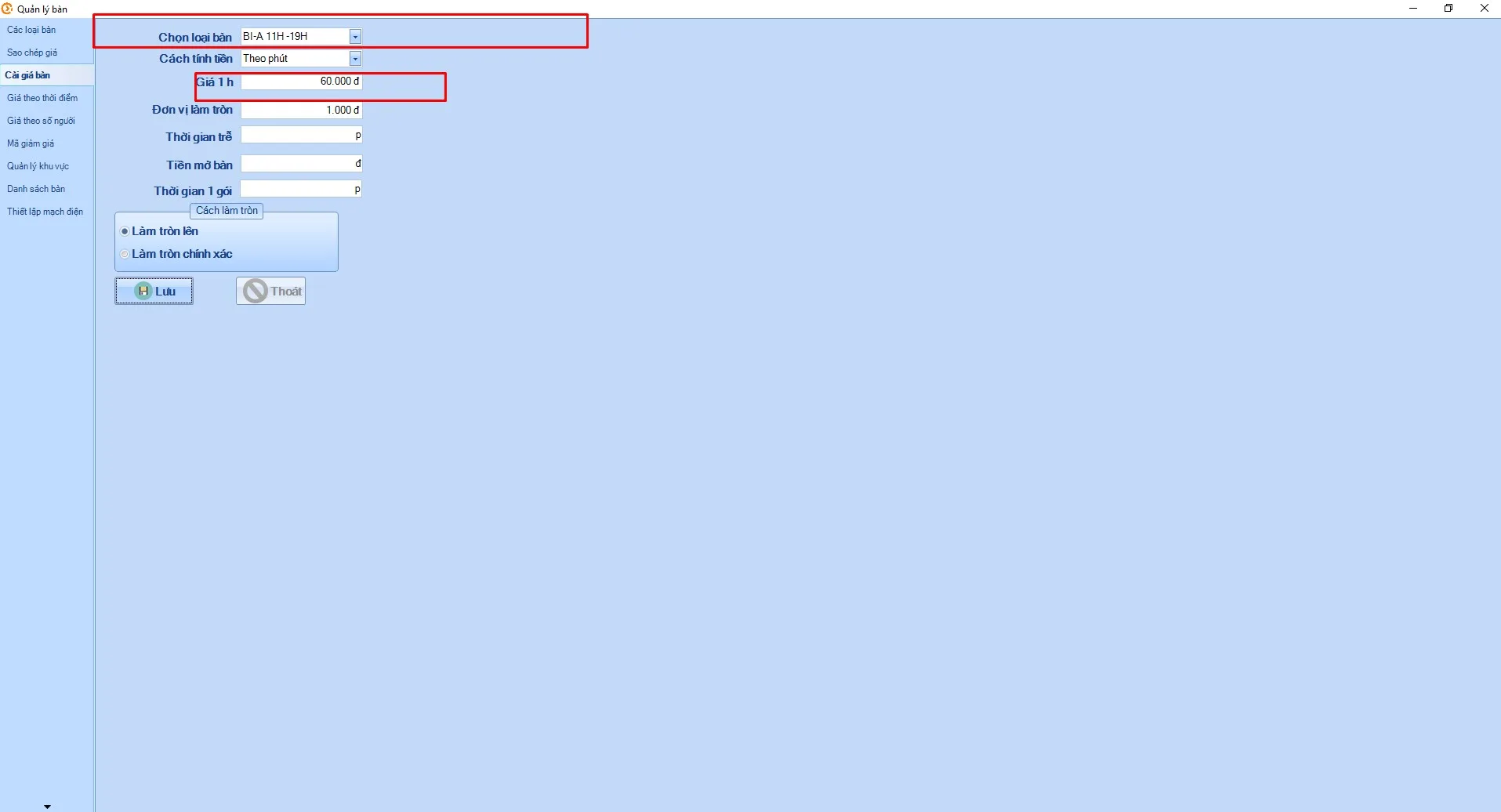
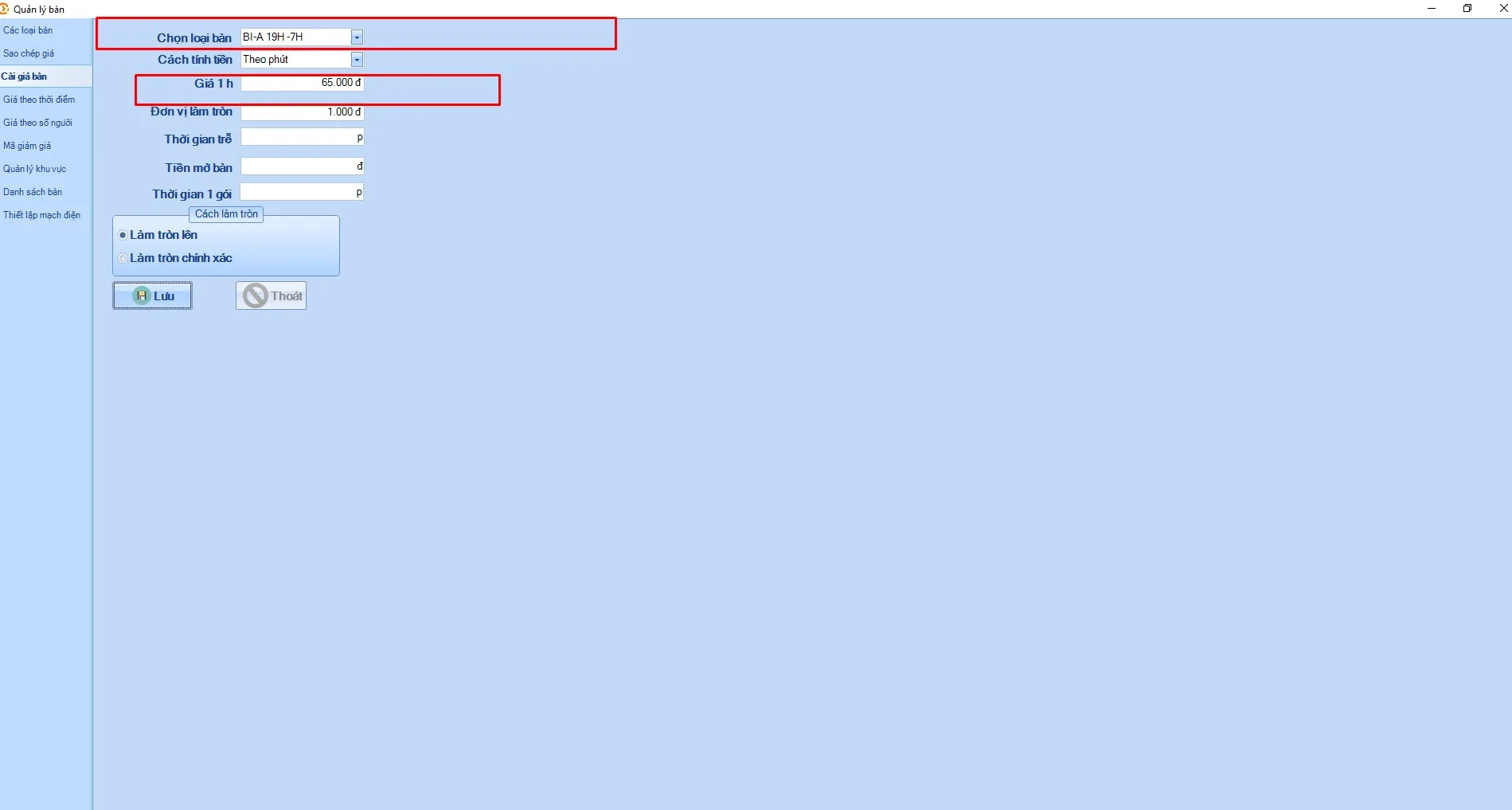
Note: double-check the prices you have just created for each time slot.
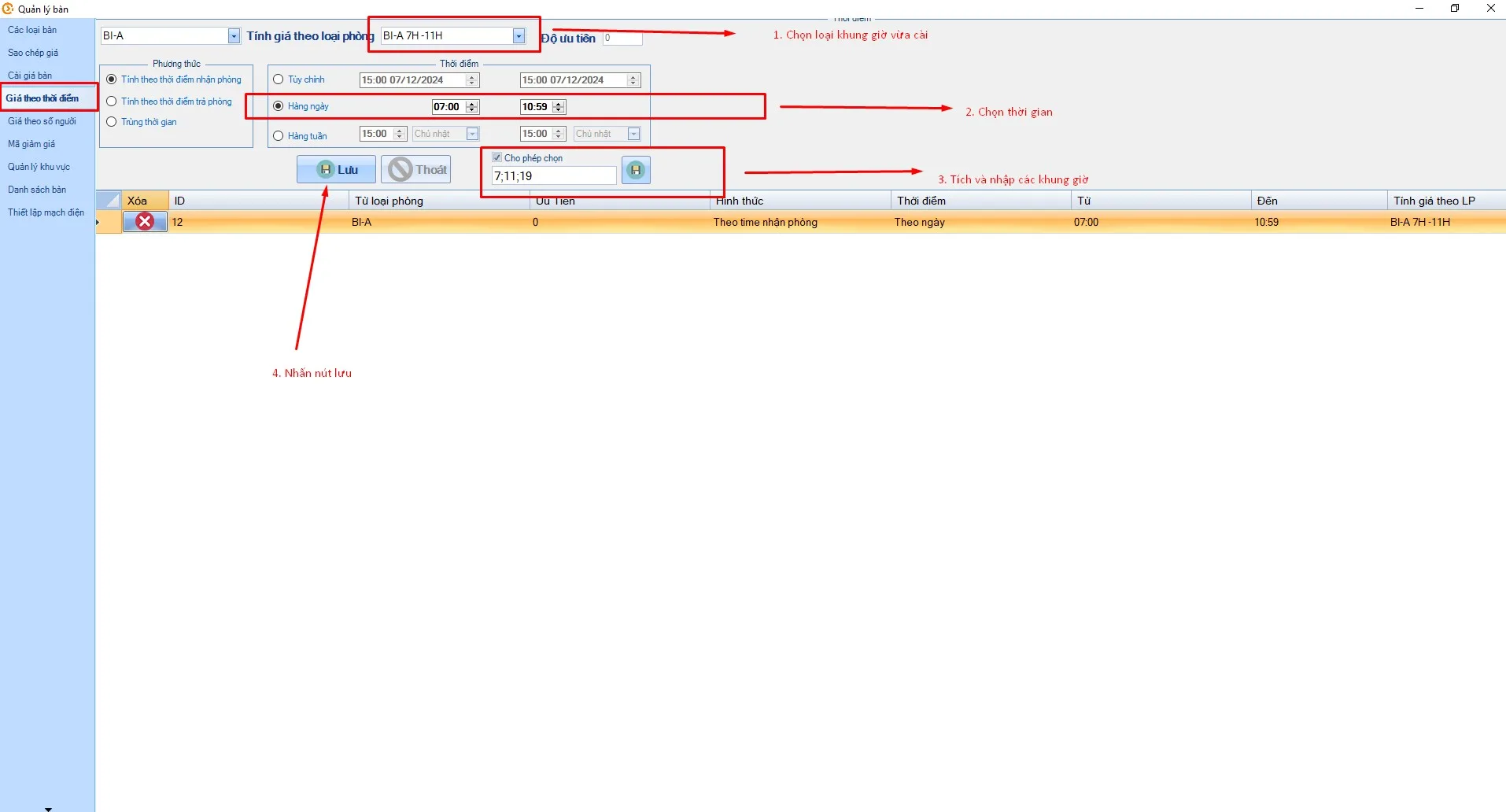
5. Set time-based pricing
- Switch to Time-based prices
- In Price by room type, select each time-slot type you added in turn
- Choose the time boundaries for each slot
- Fill in all time slots, for example: 7;11;19
- Tick Allow selection and click the icon next to it
- Click Save
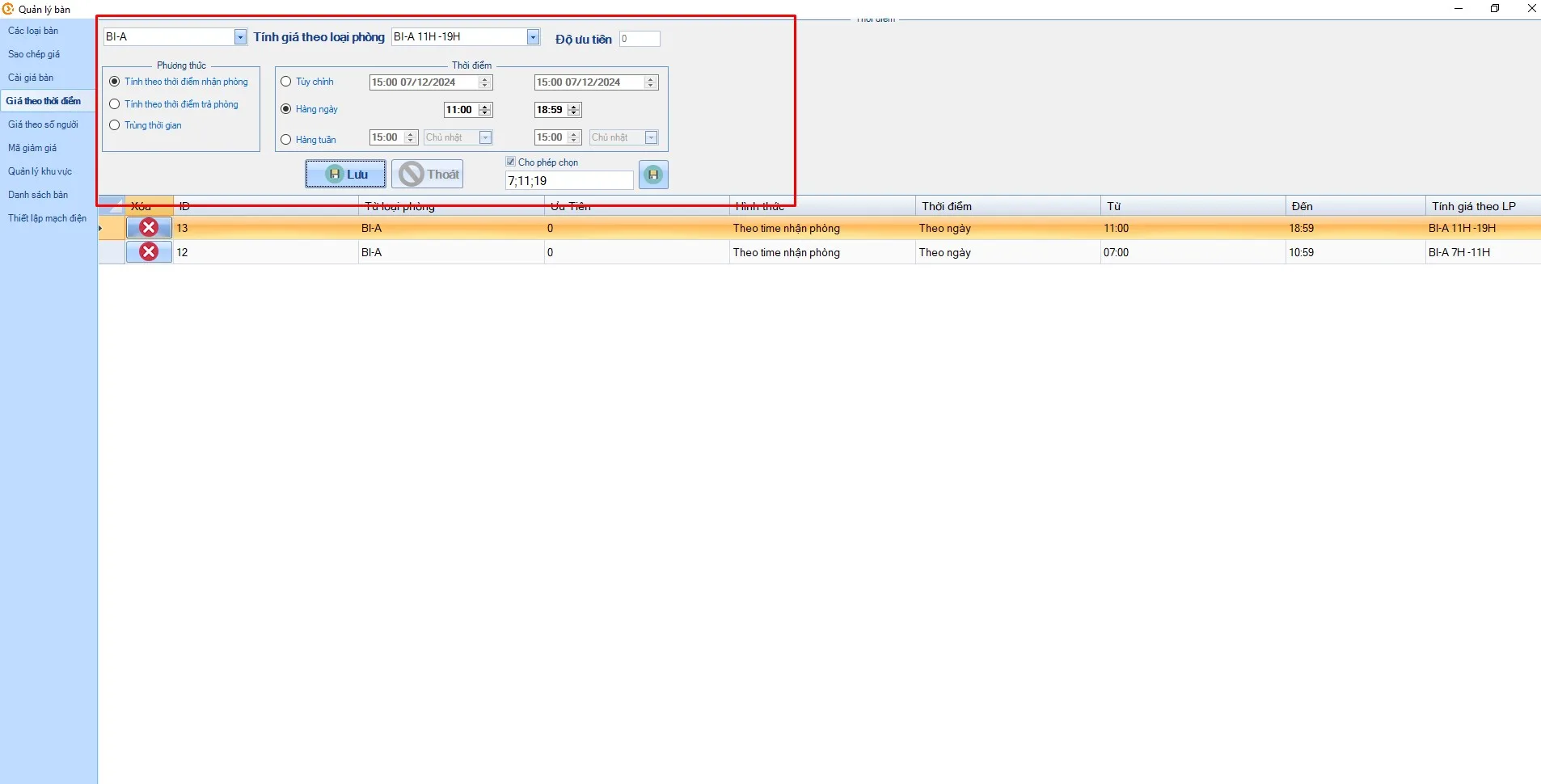
- Repeat for the 11:00–19:00 slot
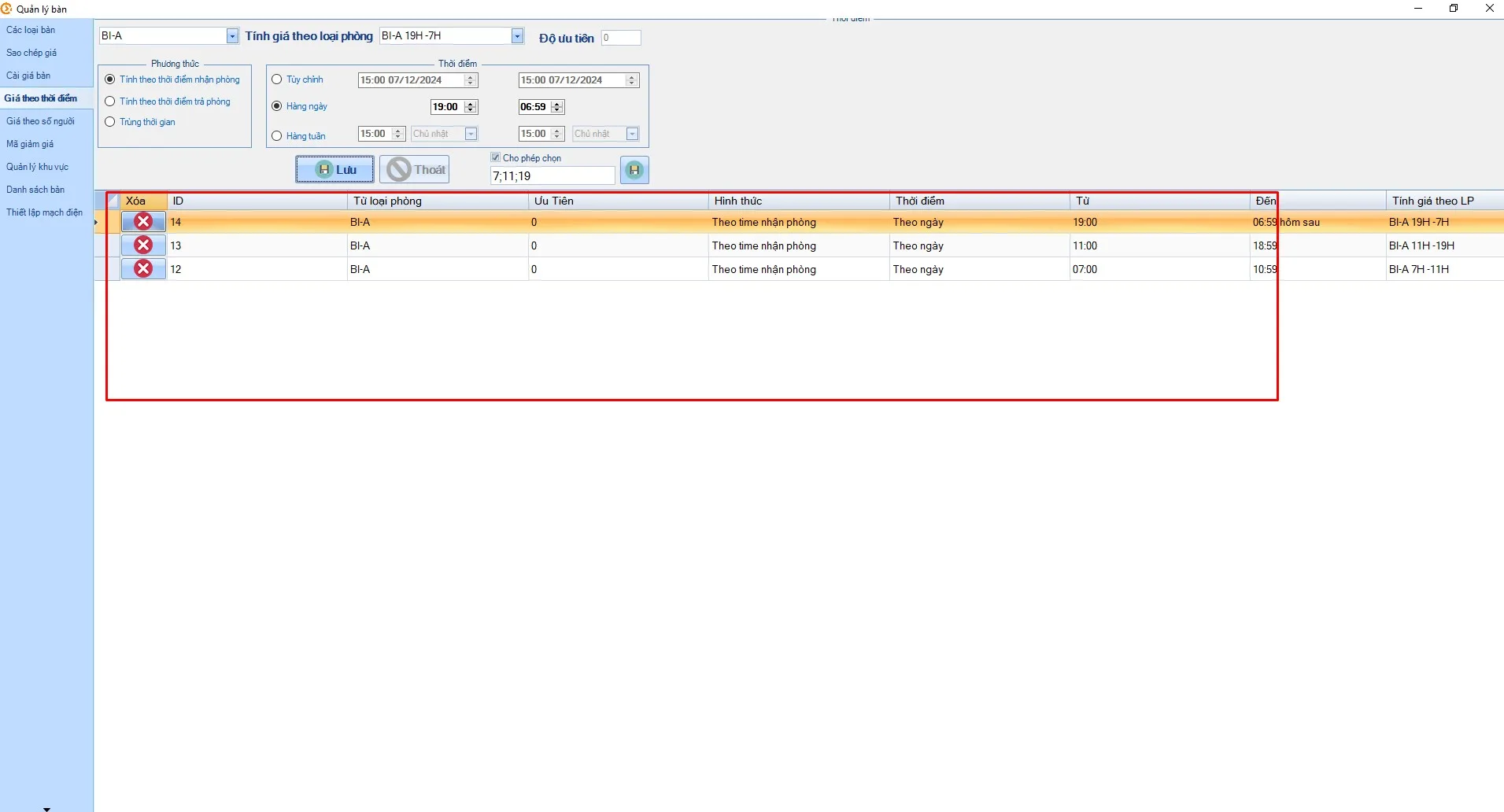
- Finally, set the 19:00–7:00 slot. Once added, you will see the three rows listed below
6. Done
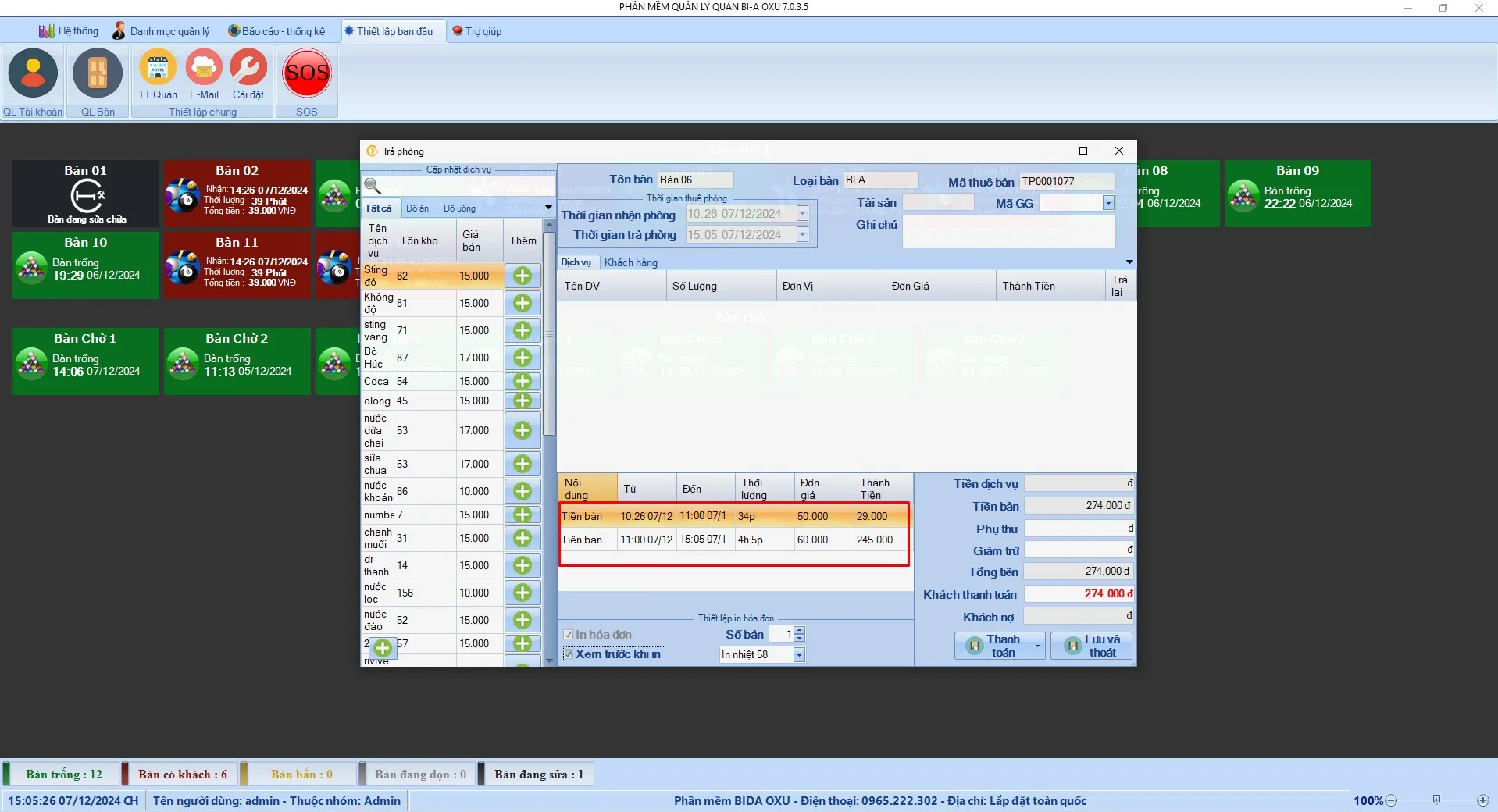
When a customer pays, the system automatically calculates the price for each time slot played. For example, a customer who plays from 10:30 to 15:00 is charged VND 50,000/hour before 11:00 and VND 60,000/hour after 11:00.
We hope this guide helps you set flexible time-based prices for billiard tables. If you have any questions, please contact our support hotline. Learn more about BIDA OXU.