
Installing and getting support for OHOTEL hotel management software
In this article we show you how to install and use the OHOTEL trial and how to get support from OXU staff, so you can understand our product better before choosing the right solution for your hotel.
I. How to install OHOTEL
Please download the OHOTEL trial from the Ohotel product page.
Once the installer has downloaded, run the OHOTEL file and choose Install.
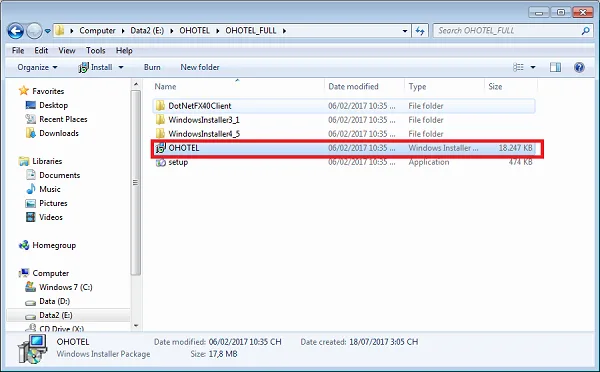
Keep clicking Next until installation is complete.
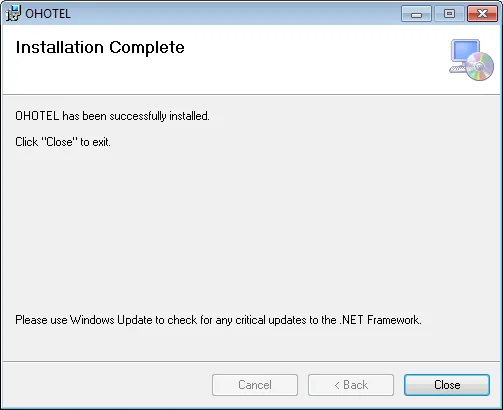
Installation is now complete, and you can open the software with the OHOTEL icon on your desktop.
Note – trial login account:
Username: admin
Password: admin
OHOTEL user guide video
II. Get direct support from OXU staff
If you have questions during installation or the trial, or need help getting started with OHOTEL hotel management software, we support you directly by phone or by remote control of your computer.
Our consultants are also available through the live chat on our website. To use it, visit the Ohotel website and click the support agent chat bubble in the bottom-right corner of the screen:

When the chat window appears, enter your name, phone number, email and question to talk directly with a support agent.
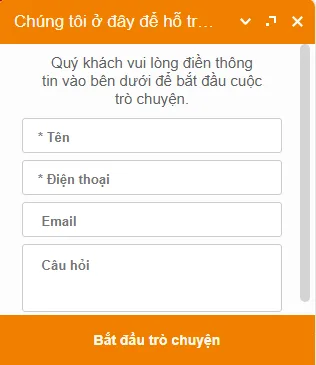
After entering your details, choose Start chat to connect with an OXU agent.
III. Get help via remote desktop software
Our professional team is ready 24/7 to help with any issue, demo or training for OHOTEL. You can use the following remote support tools so we can work directly on your computer:
Download and install one of the three tools above (click the name to download), then send us your ID and password via the hotline or live chat. Thank you for trusting and using our products.
OXU Vietnam Co., Ltd.
- Head office: Yen Phong New Urban Area, Yen Phong, Bac Ninh
- Hanoi branch: 6th floor, 29 Le Dai Hanh, Hai Ba Trung, Hanoi
- Ho Chi Minh City branch: 1C Lot 5, Ba Diem Residential Area, Hoc Mon, HCMC
- Hotline: 0965.222.302
- Email: Contact@oxu.vn