About the hotel management software
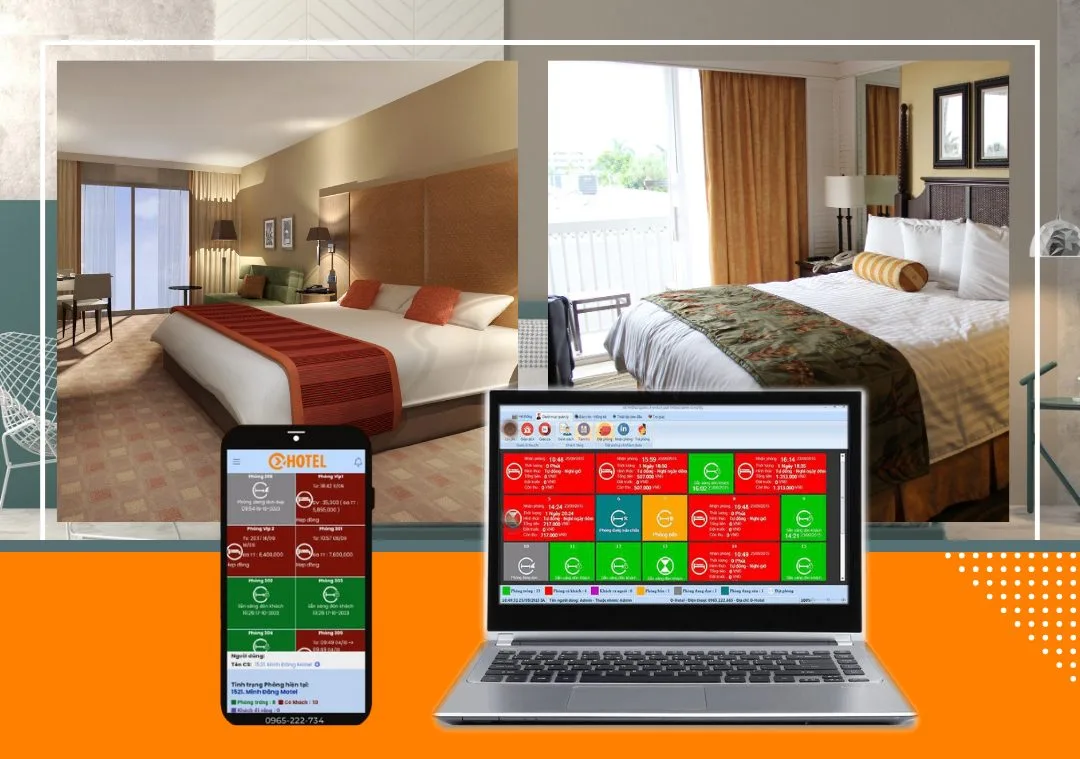
OHOTEL hotel management software is smart software that saves hotels and guesthouses time and management costs. With the quick booking feature, management becomes even simpler: booking is fast and easy – in about 5 minutes you can complete a booking, with all guest information clearly recorded. Once the guest details are entered, the room status turns red, ready to welcome the guest.
How quick booking works
Step 1. Receive the booking request by phone or email. Identify the room type and the number of matching vacant rooms.
Step 2. Check whether the guest already exists in the online hotel management software. If so, simply select the guest and the system fills in their full details (returning guests are stored and updated automatically). If not, go to step 3.
Step 3. Collect the guest's information and add it to the system.
Step 4. Enter the full booking details. Once saved, the room status changes to ready to welcome the guest (shown in red in the system).
Step 5. If the guest cancels, just click “Cancel booking” and the system automatically cancels it and returns the room to vacant.
Simple, fast booking lets receptionists update guest information and act quickly, so guests see the hotel's professional service.
OXU Vietnam Co., Ltd.
- Head office: Yen Phong New Urban Area, Yen Phong, Bac Ninh
- Hanoi branch: 6th floor, 29 Le Dai Hanh, Hai Ba Trung, Hanoi
- Ho Chi Minh City branch: 1C Lot 5, Ba Diem Residential Area, Hoc Mon, HCMC
- Hotline: 0965.222.302
- Email: Contact@oxu.vn