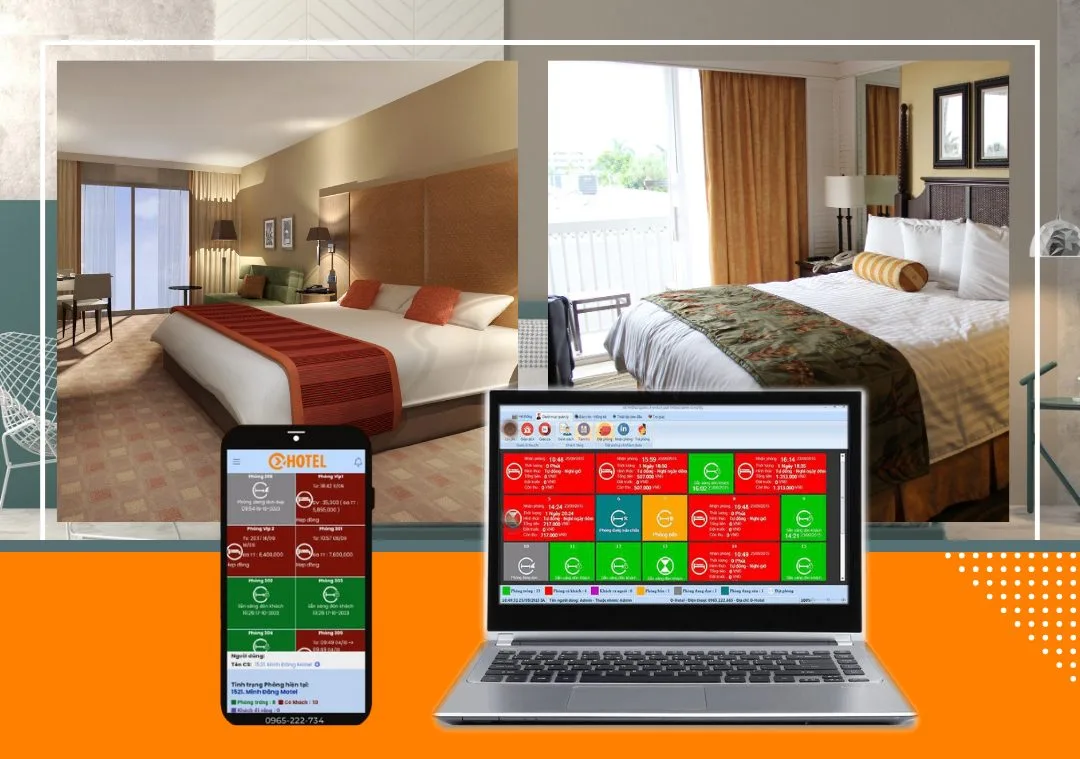
To encourage guests to return, guesthouses and hotels can use loyalty points that give discounts on future bills. Here is how to set up loyalty points in OHOTEL.
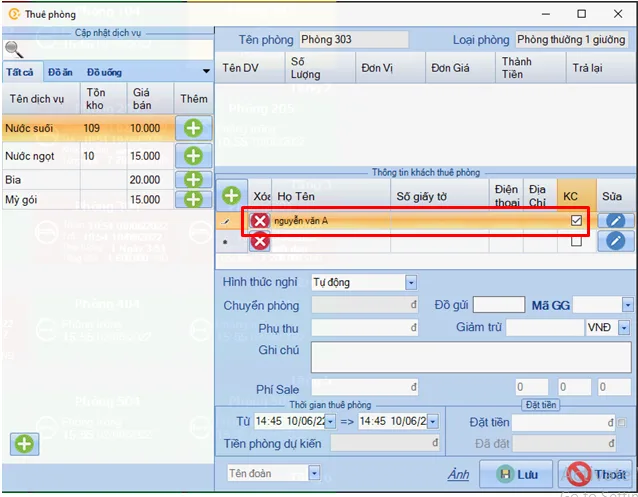
Step 1: Save guest information
To earn points, first save the guest's details by entering their name (or phone number), then select KC (main guest).
Step 2: Open the loyalty settings
Go to Initial setup → Settings → Features → Loyalty points → choose the accrual method → Save → Save.
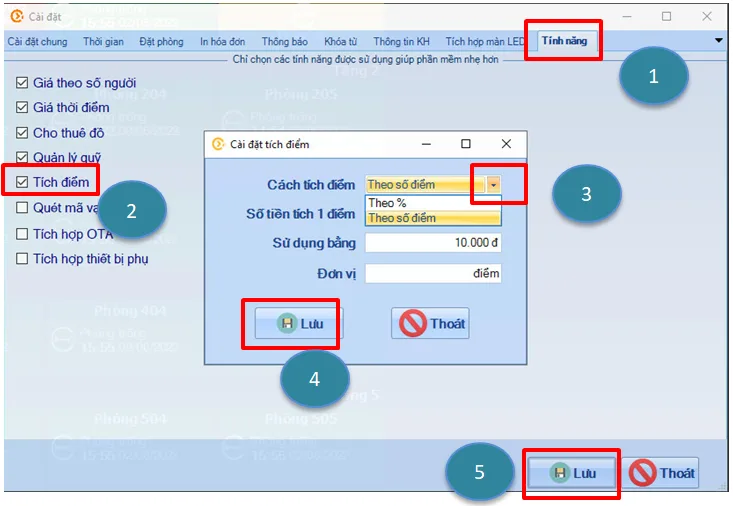
Two ways to earn points
1. Percentage-based points
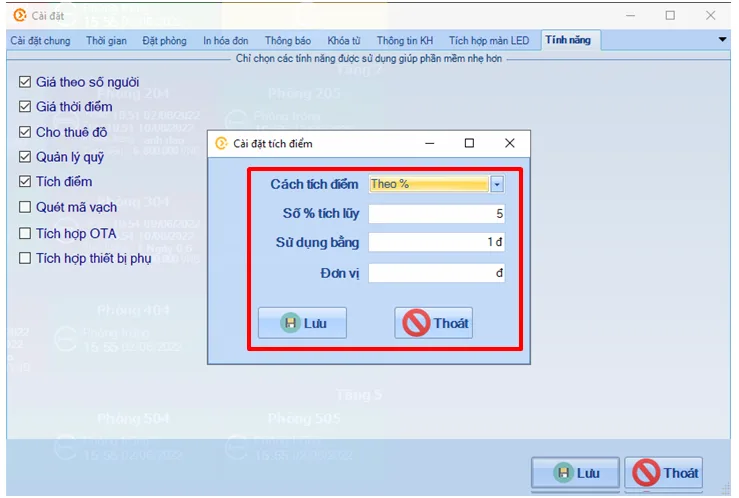
- Accrual method: by percentage
- Accrual rate: e.g. if a guest's total bill is VND 1,000,000 and the rate is 5%, they accumulate VND 50,000
- Redemption: to redeem VND 50,000 as VND 50,000 off, set the factor to 1; for VND 500,000 off, set it to 10
- Unit: customisable, e.g. VND/point
2. Points-based accrual
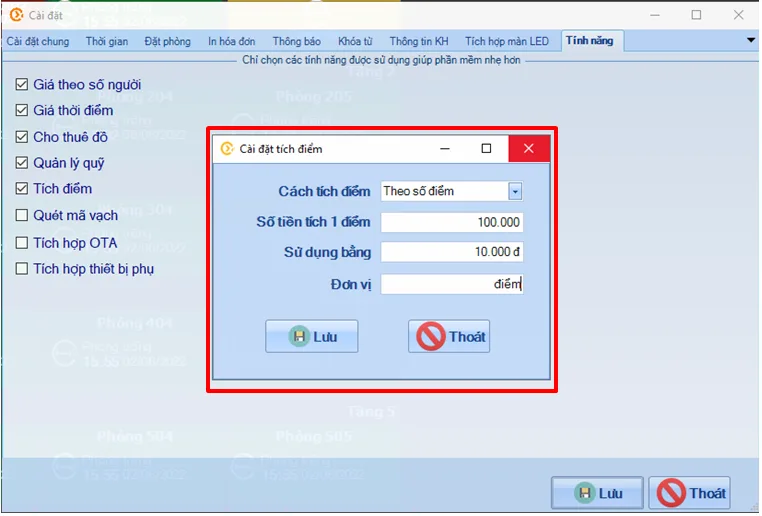
- Accrual method: by points
- Amount per point: e.g. if the room bill is VND 1,000,000 and VND 100,000 equals 1 point, the guest earns 10 points
- Redemption: e.g. each point is worth VND 10,000 off
- Unit: customisable, e.g. VND/point
Using points at payment
The information is saved in the software, and guests can use their points for discounts on future payments. When a guest uses points, reception ticks the option in the payment screen:
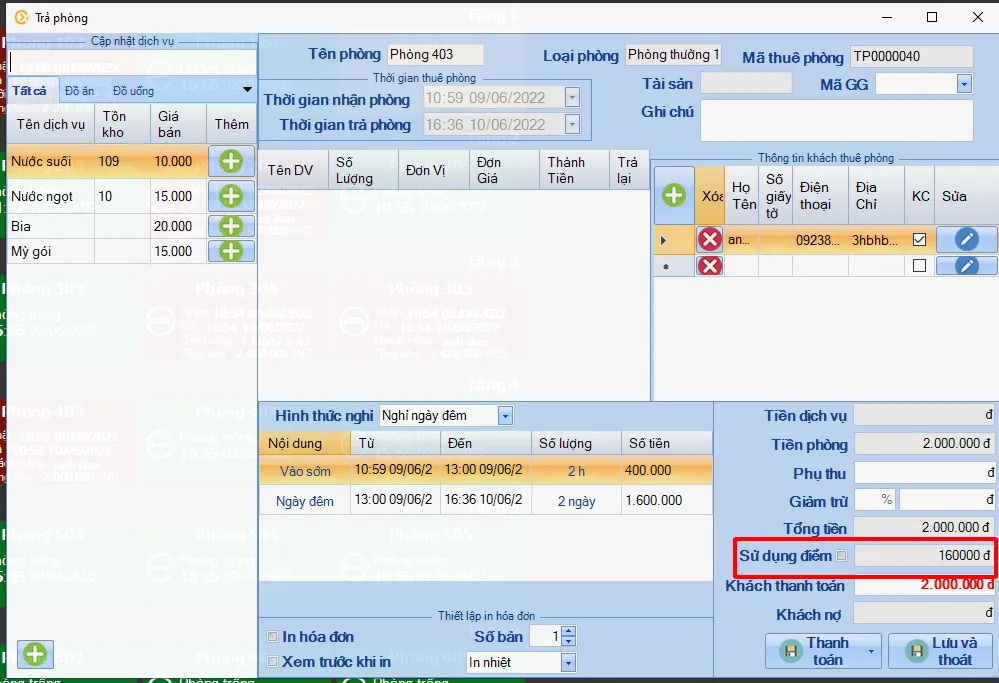
If you have any questions about setting up loyalty points, contact our after-sales support team. Learn more about OHOTEL.
OXU Vietnam Co., Ltd.
- Head office: Yen Phong New Urban Area, Yen Phong, Bac Ninh
- Hanoi branch: 6th floor, 29 Le Dai Hanh, Hai Ba Trung, Hanoi
- Ho Chi Minh City branch: 1C Lot 5, Ba Diem Residential Area, Hoc Mon, HCMC
- Hotline: 0965.222.302
- Email: Contact@oxu.vn